Posts tagged "tutorial"

15 posts
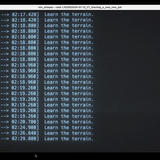
A terminal window displaying a command execution log titled ‘mlx_whisper –task 1/V/V/P/2026-01-13_YT_Starting_a_new_new_job’. The screen shows multiple timestamped entries in cyan text, each with a time range in brackets (like 02:16.220 to 02:17.420) followed by the repeated message ‘Learn the terrain.’ The timestamps progress from 02:16 to 02:29, showing the sequential execution of tasks during what appears to be a machine learning whisper model processing job.

Local audio transcription with mlx-whisper: what actually works

| In AI
| 4 minute read

I’ve been transcribing my YouTube videos locally for a few months now. It took some trial and error to get a setup that actually works reliably, so here’s what I learned. The problem I wanted good subtitles for my videos—for accessibility, but also so I could feed the transcripts to Claude for gener…

Sparse ZFS Pools

Introducing Sparse Encrypted ZFS Pools

From the archive| In Systems & Storage
| 4 minute read

Ever since I’ve been using a Mac, I enjoy using Sparse Encrypted Disk Images for a variety of tasks, for instance securely storing data that can be backed up somewhere else, say on a hosting server.

In fact, most of my project/personal data on my Mac sits on sparse encrypted disk images that are regularly rsynced to an external storage service, Strato’s in particular.

The beauty of this solution lies in it simplicity:

Sparse encrypted disk images show up just like any other hard drive. But on the back end, they translate into a bunch of flat files that store all the data in an encrypted manner. By rsyncing the backing store, sparse encrypted disk images can be easily backed up across the net, while ensuring privacy and convenience.

Here’s how to do similar things with Solaris and ZFS, including some extra data integrity magic:

mandelbrot.jpg

How to Render the Mandelbrot Set in the Joyent Cloud With Node.js

From the archive| In Systems & Storage
| 13 minute read

First of all: Apologies for not posting for a long time. The reason? I was having too much fun with node.js and the Joyent Cloud :).

What started as a small experimental hack turned quickly into an exciting new pet project involving the good old Mandelbrot Set, as a web service, running in the Joyent cloud, programmed in node.js.

But first things first: Let’s take a look at node.js as a language and programming model, at the Joyent Cloud and how it relates to Solaris and finally some details on how the picture you see was rendered inside the Joyent Cloud, including an interactive Mandelbrot Set explorer you can play with now, written as a web app.

mirroringrpool.jpg

How to Set Up a ZFS Root Pool Mirror in Oracle Solaris 11 Express

From the archive| In Systems & Storage
| 29 minute read

One of the first things to do when setting up a new system is to mirror your boot disk. This protects you against system disk failures: If one of the two mirrored boot disks fails, the system can continue running from the other disk without downtime. You can even boot from the surviving mirror half and continue using the system normally, until you have replaced the failed half.

At the currently low prices for boot drive sized disks, this is a no-brainer for increasing your system’s availability, even for a home server system.

Unfortunately, the steps to complete until you’re running off a mirrored ZFS root pool are not yet a no-brainer. While there is a piece of documentation entitled How to Configure a Mirrored Root Pool, it only covers how to add a second disk to your root pool, it does not cover how to prepare and layout a fresh disk so Solaris will accept it as a bootable second half of an rpool mirror.

Which, for historic reasons, is slightly more complicated than just saying zpool attach.

Over the weekend, I sat down and played a bit with the current Oracle Solaris 11 Express (no link, page no longer exists) release in VirtualBox and tested, re-tested and investigated all currently necessary steps to get your root pool mirrored, including some common issues and variations.

Here’s a complete, step-by-step guide with background information on how to mirror your ZFS root pool:

zfsssdfaq.jpg

Frequently Asked Questions About Flash Memory (SSDs) and ZFS

From the archive| In Systems & Storage
| 12 minute read

A few weeks ago, a reader asked me a couple of questions about SSDs and ZFS, hinting that this might be a good topic to write a blog post about.

Sure enough, just last week, a couple of similar questions came up, this time from a customer and a colleague at work.

Well, if that’s not a sign from heaven, I don’t know what is, so here’s a collection of frequently asked questions about flash memory (also known as solid state disks, or SSDs) and ZFS, with answers and some useful links, and an index, too.

drupalhtml5.jpg

How to Easily Add HTML5 YouTube Videos to Your Drupal Site

From the archive| In Blogging
| 4 minute read

For my last article, I wanted to include a couple of videos from YouTube.

First, I pondered using the standard YouTube embed code, but I wanted a more simple, elegant solution. The Drupal RepTags module supports powerful macros and it comes with some pre-built YouTube macros, so that wasn’t bad.

But I wanted more: HTML5. Read on and see how easily you can create your own Drupal RepTags, including the code I use to add HTML5 support for the Drupal YouTube RepTag.

solaris_11_road.jpg

Top 11 Things You Can Do Now to Prepare for Oracle Solaris 11

From the archive| In Systems & Storage
| 7 minute read

Oracle Solaris 11 is the future of enterprise IT, that is now clear.

Still, we need to wait a year until it is officially released. What can we do now? Well, quite a lot, it turns out. Even if the preview version (due later this year) hasn’t been relased yet, there are a lot of things you can do to prepare for the big OS upgrade.

Here’s a list of 11 things you can do now to start enjoying the benefits of Solaris 11, get ahead of your system peers and be a part of the future of Solaris now!

Package Scripting

How to Add Pre-/Post-Scripts to IPS Packages

From the archive| In Systems & Storage
| 8 minute read

My last post about Solaris 11 triggered an interesting discussion with UX-admin about IPS and the lack of pre-/post-scripts for installation/removal.

Assuming that Solaris 11 will be based on IPS (no link, opensolaris.org no longer exists) just like OpenSolaris, it is certain that sysadmins will have to change a lot in how they create and manage packages, because IPS is fundamentally different from the good old System V packaging system.

So let’s explore the lack of scripting hooks in IPS and see if we can find some ways of working around them:

newmusicsmf.jpg

How to Automatically Update Your Home Media Server Library With DTrace

From the archive| In Systems & Storage
| 6 minute read

Before we continue with our Home Server Scripting Series, let’s throw in a simple but useful DTrace hack.

One of the most typical uses for a home server is to serve music or videos to home entertainment equipment. In my case, I’m using the Firefly Media Server (no link, fireflymediaserver.org no longer exists) to serve music to my Roku Soundbridge and Mediatomb (no link, page no longer exists) for videos.

The Media Server Update Problem

Whenever I upload new music or videos to my OpenSolaris home server (typically by rsync-ing my laptop home directory), both Firefly and Mediatomb need to be restarted so they detect that new files are sitting in their directories, waiting to be served.

Package Scripting

OpenSolaris Home Server Scripting 3: Managing Package Repositories

From the archive| In Systems & Storage
| 6 minute read

OpenSolaris OS comes with the Image Packaging System (IPS) (no link, opensolaris.org no longer exists) for managing installation and additional software. By default, it is configured to pull packages from the /release (no link, opensolaris.org no longer exists) repository, but of course there are many other interesting repositories with software to install from.

Chris Gerhard recommends adding at least the /extras repository (free, registration required (no link, sun.com no longer exists)) so you can easily install VirtualBox, Adobe Flash, TrueType Fonts etc.

If you have a support contract or are an Oracle/Sun employee, you may want to switch your preferred repository to the supported one. The more adventurous may want to switch to the development repository (no link, opensolaris.org no longer exists).

Then, the Software Porting Community on OpenSolaris.org (no link, opensolaris.org no longer exists) has a hierarchical system for making open source software available on OpenSolaris through two repositories: /pending and /contrib.

And then there are a couple of more repositories from user groups, private people, companies offering commercial packages and so on.

One way to register package repositories with the IPS on your home server is by using the package management GUI, or by using the pkg(1) (no link, opensolaris.org no longer exists) command (See also: “How to Add or Update a Publisher (no link, sun.com no longer exists)”).

But of course we want to stick to our “Script Everything” philosophy and write ourselves a small script that takes care of all of our package configuration needs.

Power Management Scripting

OpenSolaris Home Server Scripting 2: Setting Up Power Management

From the archive| In Systems & Storage
| 9 minute read

Last week, we looked at how essential scripting is for administering home servers (one of the 7 tips for home server bliss) and we wrote us a little script for enabling automatic snapshots.

Another thing that you’ll almost certainly want to do on your OpenSolaris home server is enabling power management. This will ensure your server spends as little power as possible when idle, while still being powerful when needed.

ScriptingHomeserver.jpg

OpenSolaris Home Server Scripting Howto Part One: Intro and a Simple ZFS Auto-Snapshot Enabling Script

From the archive| In Systems & Storage
| 12 minute read

One of my OpenSolaris Home Server Tips is to script everything. That triggered quite some interest. So let’s start a short series around OpenSolaris home server scripting.

Today, we’ll talk a little bit about the “why?” of home server scripting, then run into a small surprise while we write a small script that will enable/disable the OpenSolaris ZFS Auto-Snapshot Service for us.

A co-working space with someone presenting to a group

How to Properly Cut an Image From a PDF Into Your Presentation or Blog

| In Career & Growth
| 9 minute read

I give a lot of presentations to customers and I tend to create a lot of new slides for the presentation decks I use. I’m also a huge fan of Presentation Zen, the book and the blog, as well as Duarte Design’s blog, with their excellent slide:ology book. When giving technical presentations about computer hardware or software though, sticking to good presentation principles is tough at best.

But there are a few simple tips that everyone should follow when preparing a presentation, and I hope to collect a few of these in this new category. Today’s topic is simple, almost trivial, but powerful. And I see too many slides on an almost daily basis that violate some basic graphical principles:

DrupalKey

How to Get Drupal to Work Through Strato’s SSL Reverse Proxy

From the archive| In Blogging
| 7 minute read

Yesterday, I had two hours in a cafe, a Cappuccino on my table, a piece of lemon cake and free WLAN. “Cool”, I thought, “I’ll write an entry for my blog!”. How romantic. Right after I entered my blog user’s password, it dawned on me: The connection to my blog wasn’t encrypted! Anyone able to sniff on the local WLAN would have been able to catch my password as I entered it and steal my blog user ID! It took me some time (slightly more than the 2 hours I had…) to figure this out, so here’s a howto on how to make your login/admin tasks secure for a Drupal instance running on Strato as the hoster.