Posts tagged "solaris"

24 posts
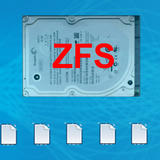
A laptop hard drive labeled “ZFS” in large red text sits above a row of six generic file icons on a blue background.

Introducing Sparse Encrypted ZFS Pools

From the archive| In Systems & Storage
| 4 minute read

Ever since I’ve been using a Mac, I enjoy using Sparse Encrypted Disk Images for a variety of tasks, for instance securely storing data that can be backed up somewhere else, say on a hosting server.

In fact, most of my project/personal data on my Mac sits on sparse encrypted disk images that are regularly rsynced to an external storage service, Strato’s in particular.

The beauty of this solution lies in it simplicity:

Sparse encrypted disk images show up just like any other hard drive. But on the back end, they translate into a bunch of flat files that store all the data in an encrypted manner. By rsyncing the backing store, sparse encrypted disk images can be easily backed up across the net, while ensuring privacy and convenience.

Here’s how to do similar things with Solaris and ZFS, including some extra data integrity magic:
The number “11” in bold black text stands on a road leading toward a glowing horizon, set against a blue sky and green landscape.

Join the Solaris 11 Launch Party!

From the archive| In Systems & Storage
| 7 minute read

In about a week, on November 9th, 2011, the long-awaited final version of Solaris 11 will be launched. If you happen to be near New York that day (and assuming there’ll be no power outages), you’re invited to join the official Solaris 11 launch party!

Solaris 11 has been in the making since 2005, when Solaris 10 was launched. In fact, every major Solaris release is just a fork of the ongoing Solaris development train, so the very first uber-pre-release of Solaris 11 was actually generated only weeks after Solaris 10 hit the shelves.

Since then, Solaris 11 (or: Project Nevada as it was called) has seen a lot of OS history: An open source adolescence called OpenSolaris, growing adoption and community work, a broad range of ground-braking new features, long overdue re-writes, brand new concepts, controversial discussions, a major acquisition, rules changed and rules kept, siblings and offsprings, lots of investments, entire companies built on top of its source code, generations of processors and hardware, lots of systems in production, the Cloud and what not.

And all that before it was even born. Quite an achievment, eh?

The number “11” stands large against a glowing horizon where a road disappears into a blue sky and green fields.

Solaris 11 Available for Early Adopters

From the archive| In Systems & Storage
| 1 minute read

Maybe I should write more frequently, though that would mean shorter, less elaborate articles. This is the first one of that kind. Let me know what you think!

Recently, the Oracle Solaris 11 Early Adopter Release (no link, page no longer exists) became available on the Oracle Technology Network (BTW, can I have a date with that Java Developer, please?). Here’s the gist:

A yellow sun logo, an OpenIndiana wordmark, and a blurred OpenSolaris “innovate on” graphic arranged on a blue background.

The Solaris Eco-System Is Expanding

From the archive| In Systems & Storage
| 4 minute read

More than a while ago, I wrote about the birth of Illumos, a project that aims at substituting the last non-open-source bits from the OpenSolaris kernel with replacements, in order to create a 100% open source Solaris kernel.

On May 20th, I had the opportunity to attend the Nexenta European User Conference 2011 (no link, page no longer exists) in Amsterdam, where Solaris and storage enthusiasts from all over the world met to discuss their favorite technology: ZFS. Of course there was also a lot of talk about Illumos and related projects.

Now I’ve given a lot of Solaris presentations to customers, always highlighting the big, growing and powerful community behind the Solaris OS. But this conference added a new dimension to the Solaris Eco-System for me!

The Mandelbrot Set rendered in black with vivid yellow, orange, and pink fractal edges against a pale blue background.

How to Render the Mandelbrot Set in the Joyent Cloud With Node.js

From the archive| In Systems & Storage
| 13 minute read

First of all: Apologies for not posting for a long time. The reason? I was having too much fun with node.js and the Joyent Cloud :).

What started as a small experimental hack turned quickly into an exciting new pet project involving the good old Mandelbrot Set, as a web service, running in the Joyent cloud, programmed in node.js.

But first things first: Let’s take a look at node.js as a language and programming model, at the Joyent Cloud and how it relates to Solaris and finally some details on how the picture you see was rendered inside the Joyent Cloud, including an interactive Mandelbrot Set explorer you can play with now, written as a web app.

Two identical Seagate hard drives sit side by side, each marked with a large forward-slash symbol, above an orange “ZFS” logo on a blue background.

How to Set Up a ZFS Root Pool Mirror in Oracle Solaris 11 Express

From the archive| In Systems & Storage
| 29 minute read

One of the first things to do when setting up a new system is to mirror your boot disk. This protects you against system disk failures: If one of the two mirrored boot disks fails, the system can continue running from the other disk without downtime. You can even boot from the surviving mirror half and continue using the system normally, until you have replaced the failed half.

At the currently low prices for boot drive sized disks, this is a no-brainer for increasing your system’s availability, even for a home server system.

Unfortunately, the steps to complete until you’re running off a mirrored ZFS root pool are not yet a no-brainer. While there is a piece of documentation entitled How to Configure a Mirrored Root Pool, it only covers how to add a second disk to your root pool, it does not cover how to prepare and layout a fresh disk so Solaris will accept it as a bootable second half of an rpool mirror.

Which, for historic reasons, is slightly more complicated than just saying zpool attach.

Over the weekend, I sat down and played a bit with the current Oracle Solaris 11 Express (no link, page no longer exists) release in VirtualBox and tested, re-tested and investigated all currently necessary steps to get your root pool mirrored, including some common issues and variations.

Here’s a complete, step-by-step guide with background information on how to mirror your ZFS root pool:

4 commands that help you find bottlenecks

My Favorite Oracle Solaris Performance Analysis Commands

From the archive| In Systems & Storage
| 16 minute read

A while ago, we discussed some performance analysis basics:

  • Define what your problem is.

  • Figure out your goal: What metric needs to be in what ballpark for you to declare victory?

  • Analyze your system from the inside out: CPU, RAM, Disk, Network. Your Bottleneck is always in one of these 4 regions.

So what are the best commands for finding bottlenecks in each of the four categories above? Here’s part two of my Oracle Solaris Performance cheat sheet with some favorite tricks.

Four dashboard panels showing website load-time graphs surround the Monitis “Monitor Everything” and mon.itor.us logos.

Review: Monitoring Your Oracle Solaris Server, Blog and More From the Cloud With Monitis

From the archive| In Systems & Storage
| 8 minute read

Whenever you run a professional server, a home server, a hosted virtual server or just a blog on a shared web space, you run a service that provides something useful to your users, readers or whatever consumers your service caters to.

Too bad if things go wrong and you’re the last to notice.

Enter Monitis.com: This service allows you to easily track your servers, websites, blogs or anything else that can be accessed through the internet, or that is able to run a simple agent. Monitoring from the cloud, if you will, at reasonable prices. And if all you need is some basic monitoring, then there’s a free version called mon.itor.us, too.

Let’s check this out in some detail:

Oracle Solaris logo above the bold black number 11 and the word “Express” in red italics, on a blue textured background.

Top 7 Cool Things About the New Oracle Solaris 11 Express Release

From the archive| In Systems & Storage
| 6 minute read

At last, it is here: After lots of waiting, speculation, community self-help efforts, future directions, anticipation and more, we’re now holding it in our hands: Oracle Solaris 11 Express is here (no link, page no longer exists)!

While you’re testing/installing/upgrading to this new release, let’s check out the following top 7 cool things about Oracle Solaris 11 Express:

Close-up of a computer processor chip die, showing multiple symmetrical colored cores and circuit blocks on a blue tech-themed background.

Firesheep Killed HTTP. Long Live HTTPS With Free SSL Acceleration, Courtesy of SPARC/Solaris!

From the archive| In Systems & Storage
| 7 minute read

Before we continue our little Performance Analysis Series, let’s look at some current news:

The Bad News: HTTP is dead. Get over it. The killer? It’s called Firesheep, a free Firefox extension that makes it trivially easy for that kid sitting next to you in that Wifi hotspot to steal your Facebook, Twitter or other web services’ identity.

The Victims: The first line of victims are of course millions of unsuspecting users that are sitting in WLAN areas, not knowing that their web identities can be stolen at the click of the button. But the real victims are hundreds, if not thousands of website owners, starting with the who-is-who of web companies, who are now (rightly so) faced with the challenge of upgrading their web infrastructure to HTTPS as soon as possible, preferably overnight.

The Good News: Adding encryption to your web servers used to be an additional burden on the CPU, negatively impacting performance by as much as 2-3x. Fortunately, the new SPARC T3 processors enable you to switch SSL encryption on for your web applications, without any performance impact. This is possible through built-in encryption engines at the core level. And thanks to the Oracle Solaris Cryptographic Framework, it’s easy to take advantage of hardware encryption for any application that needs it.

Wanna learn more? Read on!

A red bottle of Casillero del Diablo Cabernet Sauvignon wine stands against a blue background with a red arrow icon beside it.

My Personal Oracle Solaris Performance Analysis Cheat Sheet

From the archive| In Systems & Storage
| 6 minute read

Over time, you tend to learn a Solaris performance trick or two. Or three. Or more. That’s cool, it’s how stuff works: You learn, you do, you remember.

Performance analysis and tuning is just like that: You learn a trick from a person that is more senior than you are, you apply it, you feel like a hero, you learn the next trick.

But having a bag of tricks is not enough. Because then you start trying out stuff without a system, and spend useless time hunting that problem with a hit-and-miss approach, gut-based only.

Therefore, I’m always glad to listen to Ulrich Gräf when he does one of his famous performance tuning workshops (if you’re lucky, you can catch Uli blogging in German here (no link, sun.com no longer exists)), because he’ll give you the full view, the context and the system too, when it comes to performance analysis.

So here’s my personal cheat sheet for Oracle Solaris Performance Analysis, including some guideance on how to systematically catch that elusive bottleneck.

The number 11 in bold black text stands on a road stretching toward a glowing horizon between green fields under a blue sky.

Top 11 Things You Can Do Now to Prepare for Oracle Solaris 11

From the archive| In Systems & Storage
| 7 minute read

Oracle Solaris 11 is the future of enterprise IT, that is now clear.

Still, we need to wait a year until it is officially released. What can we do now? Well, quite a lot, it turns out. Even if the preview version (due later this year) hasn’t been relased yet, there are a lot of things you can do to prepare for the big OS upgrade.

Here’s a list of 11 things you can do now to start enjoying the benefits of Solaris 11, get ahead of your system peers and be a part of the future of Solaris now!

An open wooden treasure chest surrounded by colorful bubbles and shell script code snippets about IPS package publishing.

How to Add Pre-/Post-Scripts to IPS Packages

From the archive| In Systems & Storage
| 8 minute read

My last post about Solaris 11 triggered an interesting discussion with UX-admin about IPS and the lack of pre-/post-scripts for installation/removal.

Assuming that Solaris 11 will be based on IPS (no link, opensolaris.org no longer exists) just like OpenSolaris, it is certain that sysadmins will have to change a lot in how they create and manage packages, because IPS is fundamentally different from the good old System V packaging system.

So let’s explore the lack of scripting hooks in IPS and see if we can find some ways of working around them:

The number “11” in bold black text stands on an open road stretching toward a glowing horizon with blue sky and green fields.

Oracle Solaris 11 Is the Future

From the archive| In Systems & Storage
| 6 minute read

Lots of speculation about Solaris and OpenSolaris is happening right now, with an allegedly leaked email being the latest generator of buzz, rumors and troll-ism.

But is that any useful? No.

So let’s cut through the shiitake, do some due diligence and focus on some real facts instead.

In this article, we’ll check out some real and authoritative sources of Solaris direction, mainly John Fowler’s recent webcast about Solaris 11. Then we’ll see what our future opportunities as members of the Solaris community are, and close with some pointers to other opinions on Solaris 11.

Sun logo and the OpenSolaris logo above a large crowd of generic silhouette figures on a blue background.

What Communities Should Do (And What They Shouldn’t)

From the archive| In Systems & Storage
| 4 minute read

Ever since Oracle announced that they’ll buy Sun (no link, page no longer exists), there has been a lot of discussion about the future (some would say “fate”) of OpenSolaris in the “community”.

In fact, the last 15 months have been very instructive in terms of how communities work, or how they don’t.

Let’s check out what a community is supposed to do, and what it is not supposed to do, in the light of the latest OpenSolaris announcement: Illumos.

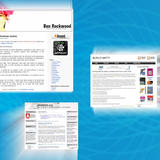
Collage of three Solaris-related blog homepages—Ben Rockwood’s site, Blog O’ Matty, and cOt0dOs0.org—overlapping on a bright blue swirled background.

Here Are the Ten Most Important Independent Solaris Blogs

From the archive| In Systems & Storage
| 8 minute read

One of the best information sources for any topic are blogs, and the Oracle Solaris operating system in all its variants (Solaris 10 and OpenSolaris) is no exception. Most of what I learned about OpenSolaris was through blogs, or through interacting with Solaris bloggers.

As a way of saying “Thank You”, I did some research and came up with a list of the top ten Solaris related blogs with the highest traffic on the Internet.

But first, let’s clear up some basic rules.

A Seagate hard drive and an XML SMF service manifest overlap, with a red “New!” starburst and a speaker icon in the background.

Home Server Scripting 4: Wrapping DTrace (And Other Scripts) Into SMF Services

From the archive| In Systems & Storage
| 6 minute read

In the last couple of posts, we used DTrace to notify our media servers and perfected our script a bit.

But the script is still not ready to be used on our home servers yet: It requires manual start and stop, not quite the service oriented automatism we’re used to in the Oracle Solaris world.

The next step is to wrap our DTrace script inside a Service Management Facility (SMF) service, then wrap everything into a shell script that will easily install or remove the service whenever we need it.

Bold red “ZFS” text overlaid on a tilted laptop hard disk drive against a bright blue background.

Ten Ways to Easily Improve Oracle Solaris ZFS Filesystem Performance

From the archive| In Systems & Storage
| 19 minute read

This is a long article, but I hope you’ll still find it interesting to read. Let me know if you want me to break down future long articles into multiple parts instead.

One of the most frequently asked questions around ZFS is: “How can I improve ZFS performance?”.

This is not to say that ZFS performance would be bad. ZFS can be a very fast file system. ZFS is mostly self-tuning and the inherent nature of the algorithms behind ZFS help you reach better performance than most RAID-controllers and RAID-boxes - but without the expensive “controller” part.

Most of the ZFS performance problems that I see are rooted in incorrect assumptions about the hardware, or just unrealistic expectations of the laws of physics.

So let’s look at ten ways to easily improve ZFS performance that everyone can implement without being a ZFS expert.

OpenSolaris SMF badge.

New Video: Implementing a Simple SMF Service: Lessons Learned

From the archive| In Systems & Storage
| 1 minute read

During OSDevCon 2009 in Dresden (no link, osdevcon.org no longer exists), I had the honor to present on some lessons learned while putting together a ZFS Automatic-Scrubbing SMF service.

Today, Deirdre was so kind to publish the video recording of my presentation on The Oracle Solaris Video Blog (no link, sun.com no longer exists).

From the description:

This talk walks you through the implementation of a simple SMF service. What sounds “simple” at first, develops a life of its own when you consider installation/de-installation, security considerations, error handling and debugging, and of course unexpected little bugs and shortcomings. Finally, we add a GUI to our service by discovering the OpenSolaris Visual Panels project. This “lessons learned” talk is intended to be a practical roundup of things to consider for developers interested in integrating with SMF.
OpenSolaris logo made of colored circles above a circuit board graphic, with text reading “OpenSolaris Happy Server!

OpenSolaris ZFS Home Server Reference Design

From the archive| In Systems & Storage
| 5 minute read

When I blogged about my OpenSolaris Home Server a while ago (no link, sun.com no longer exists), little did I know that this would become my most popular entry in my old blog!

In fact, R.G. (no link, page no longer exists) was so kind to call my setup “perilously close to being an AMD reference design (no link, opensolaris.org no longer exists)”. Thanks, R.G.! Read about his final setup here (no link, opensolaris.org no longer exists). And BTW, if you’re into e-guitars, check out his GEOFEX page, a great resource for guitar effects.

So let’s review our reference design and discuss some modifications to better suit your needs:

An open wooden treasure chest with colorful bubbles beside a shell script snippet for adding a package publisher.

OpenSolaris Home Server Scripting 3: Managing Package Repositories

From the archive| In Systems & Storage
| 6 minute read

OpenSolaris OS comes with the Image Packaging System (IPS) (no link, opensolaris.org no longer exists) for managing installation and additional software. By default, it is configured to pull packages from the /release (no link, opensolaris.org no longer exists) repository, but of course there are many other interesting repositories with software to install from.

Chris Gerhard recommends adding at least the /extras repository (free, registration required (no link, sun.com no longer exists)) so you can easily install VirtualBox, Adobe Flash, TrueType Fonts etc.

If you have a support contract or are an Oracle/Sun employee, you may want to switch your preferred repository to the supported one. The more adventurous may want to switch to the development repository (no link, opensolaris.org no longer exists).

Then, the Software Porting Community on OpenSolaris.org (no link, opensolaris.org no longer exists) has a hierarchical system for making open source software available on OpenSolaris through two repositories: /pending and /contrib.

And then there are a couple of more repositories from user groups, private people, companies offering commercial packages and so on.

One way to register package repositories with the IPS on your home server is by using the package management GUI, or by using the pkg(1) (no link, opensolaris.org no longer exists) command (See also: “How to Add or Update a Publisher (no link, sun.com no longer exists)”).

But of course we want to stick to our “Script Everything” philosophy and write ourselves a small script that takes care of all of our package configuration needs.

Power Management Scripting

OpenSolaris Home Server Scripting 2: Setting Up Power Management

From the archive| In Systems & Storage
| 9 minute read

Last week, we looked at how essential scripting is for administering home servers (one of the 7 tips for home server bliss) and we wrote us a little script for enabling automatic snapshots.

Another thing that you’ll almost certainly want to do on your OpenSolaris home server is enabling power management. This will ensure your server spends as little power as possible when idle, while still being powerful when needed.

Firefox wearing the OpenSolaris Persona

Show Your OpenSolaris Love by Wearing This New Firefox Persona!

From the archive| In Systems & Storage
| 2 minute read

Firefox 3.6 has introduced a new feature (that was in Beta for some time): Personas.

What’s a Persona? From Firefox’ own description: Personas are easy-to-use themes that let you personalize the look of your Firefox There’s a very nicely done video on the Firefox Personas site to introduce the feature.

If you (or your friendly sysadmin) haven’t upgraded to Firefox 3.6 yet, you can still install the Personas Plus Add-On (no link, page no longer exists) to enjoy all of the Personas goodness.